

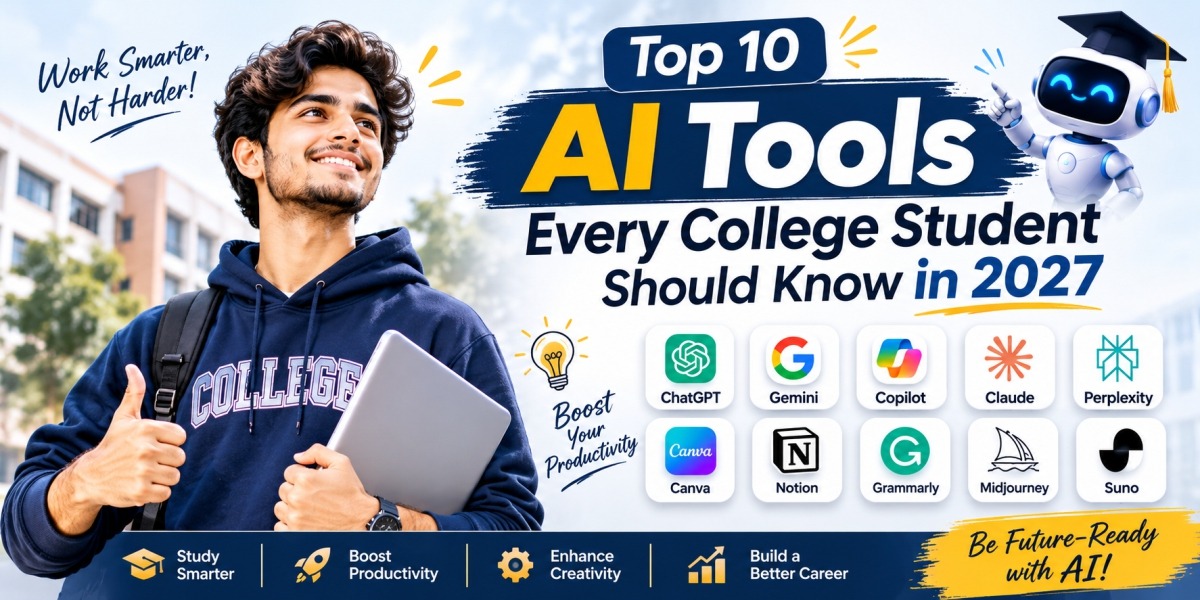
Top 10 AI Tools Every College Student Should Know in 2027
Artificial Intelligence (AI) is transforming the way students learn, conduct research, prepare assignments and develop professional skills. From explaining complex subjects to creating presentations and assisting with programming, AI tools are becoming valuable resources for college students across different academic disciplines.
In 2027, students pursuing management, computer applications, law, pharmacy, biotechnology and other fields can benefit from understanding how to use AI effectively. These tools can help organise study materials, improve productivity, support independent learning and simplify challenging academic tasks.
However, AI should be treated as a learning assistant rather than a replacement for critical thinking, creativity and subject knowledge.
If you want to study smarter and prepare for a technology-driven professional environment, here are ten useful AI tools every college student should know.
- ChatGPT – Your AI Study Assistant
ChatGPT is a versatile AI assistant that can help students understand difficult concepts, brainstorm ideas, prepare revision questions and organise their study schedules.
Students can use it to break complicated topics into simpler explanations, practise interview questions, generate examples and receive step-by-step guidance on academic problems.
Best uses: Concept explanation, brainstorming, study planning, revision and coding assistance.
For example, a BBA student can explore marketing concepts, while a BCA student can ask for explanations of programming logic.
- Google Gemini – AI for Learning and Productivity
Google Gemini can assist students with explanations, brainstorming, writing support and working through academic questions. Its usefulness can extend to compatible Google services, depending on the account and available features.
Students can use it to generate revision questions, organise ideas for presentations and understand unfamiliar subjects.
Best uses: Learning support, idea generation, research assistance and productivity.
Students should independently verify important facts and consult reliable academic sources before using information in assignments.
- NotebookLM – Learn from Your Own Study Materials
NotebookLM is particularly useful for students who want to work with their own uploaded study materials and selected sources.
It can help organise information from supported documents, summarise key concepts and generate study aids based on the material provided. This can make lengthy readings and revision notes easier to navigate.
Best uses: Summarising notes, reviewing PDFs, preparing study guides and revising important concepts.
For example, an MBA student can organise case-study materials, while a biotechnology student can review research documents more efficiently.
- Perplexity AI – Research with Sources
Perplexity AI is an AI-powered search and research tool that can help students explore topics and discover relevant sources.
Instead of relying only on a general AI-generated explanation, students can use its cited responses as a starting point for further research.
Best uses: Topic exploration, source discovery, current information and research preparation.
Students should open the original sources, check their credibility and confirm that the evidence actually supports the claims being made.
- Grammarly – Improve Academic Writing
Grammarly helps students improve the clarity, grammar, spelling and tone of their writing. It can be useful when preparing assignments, professional emails, reports and internship applications.
Clear communication is important across academic and professional settings, making writing-support tools valuable for students from different disciplines.
Best uses: Grammar checking, proofreading, sentence clarity and writing feedback.
Students should retain their own voice and follow institutional rules governing AI-assisted writing.
- Canva AI – Create Better Presentations
Canva offers design tools and AI-assisted features that can help students create visually engaging presentations, posters, infographics and project materials.
Students can use it to organise information into clear visual formats rather than relying entirely on text-heavy slides.
Best uses: College presentations, project posters, infographics and visual communication.
For example, a management student can present a marketing strategy visually, while a law student can develop an educational infographic about legal awareness.
- GitHub Copilot – Support for Programming Students
GitHub Copilot is an AI-powered coding assistant that can suggest code, explain programming concepts and help identify potential errors.
It can be especially useful for students learning software development, programming languages and application building.
Best uses: Code suggestions, debugging assistance, code explanations and software projects.
Students should test generated code, understand how it works and check for security issues. Copying code without understanding it can create problems during practical examinations and technical interviews.
- Wolfram|Alpha – Mathematical and Scientific Problem-Solving
Wolfram|Alpha is a computational knowledge tool that can help students explore mathematical and scientific problems.
Depending on the query and available features, it can support calculations, equation solving, graphing and mathematical analysis.
Best uses: Mathematics, algebra, calculus, statistics and scientific calculations.
Students should practise solving problems independently and use computational tools to check their understanding rather than simply copying final answers.
- Quizlet – Smarter Revision and Practice
Quizlet helps students practise concepts using digital flashcards and study activities. Its available AI-assisted features can support the creation of learning materials from suitable study content.
Regular practice can make revision more structured and help students identify topics that need additional attention.
Best uses: Flashcards, vocabulary, definitions, concept revision and practice questions.
For examinations, students should combine digital practice with textbooks, class notes and previous question papers where appropriate.
- Notion – Organise Notes, Projects and Deadlines
Notion provides a workspace for organising notes, tasks, projects and study schedules. Its AI capabilities can assist with selected writing and organisation tasks, depending on the plan and current features.
Students can create subject-wise notes, maintain assignment deadlines, organise group projects and plan their weekly study routines.
Best uses: Note organisation, project management, task planning and study schedules.
A well-organised workspace can help students manage academic responsibilities alongside internships, extracurricular activities and skill development.
Benefits of AI Tools for College Students
Using appropriate AI tools can offer several practical benefits:
- Better understanding: Complex subjects can be explained through examples and simpler language.
- Improved productivity: Routine tasks, planning and selected research activities can become more efficient.
- Personalised practice: Students can generate questions and practise areas where they need improvement.
- Stronger communication: Writing and presentation tools can help improve clarity and structure.
- Technical skill development: Coding and analytical tools can support practical learning.
- Career preparation: Students can practise interviews, explore industry trends and develop digital confidence.
These benefits depend on how responsibly students use the tools and how carefully they verify the results.
How to Use AI Responsibly in College
AI-generated content can contain inaccurate information, fabricated references or outdated facts. Students should therefore develop good digital learning habits.
Follow these practices:
- Verify factual claims using reliable books, research papers and official sources.
- Never submit AI-generated work as your own when your institution prohibits it.
- Protect personal information and confidential academic or professional documents.
- Use AI explanations to build understanding rather than memorise unverified answers.
- Follow your college's academic integrity and AI-use policies.
The goal is to develop independent thinking and practical skills while benefiting from emerging technologies.
Preparing for an AI-Driven Future with HIMT
As technology continues to influence education and professional work, students need a combination of subject knowledge, communication, analytical thinking and digital skills.
At HIMT Group of Institutions, Greater Noida, students exploring management, computer applications, law, pharmacy and biotechnology can consider how emerging technologies relate to their chosen fields of study.
Understanding AI applications can help learners become more informed about industry developments and identify areas for further skill development. Students should also focus on practical projects, internships, teamwork and strong subject fundamentals.
Conclusion
The top AI tools for college students in 2027 can support everything from studying and research to writing, coding, mathematical problem-solving and project management.
ChatGPT, Google Gemini, NotebookLM, Perplexity AI, Grammarly, Canva, GitHub Copilot, Wolfram|Alpha, Quizlet and Notion each serve different purposes. Students do not need to use every tool; choosing two or three that match their academic requirements is a sensible starting point.
Ultimately, the most successful learners will be those who combine AI assistance with curiosity, critical thinking, creativity and continuous learning.
Learn smarter, build your skills and prepare for tomorrow's opportunities.
Frequently Asked Questions (FAQs)
- What are the best AI tools for college students in 2027?
Useful options include ChatGPT, Google Gemini, NotebookLM, Perplexity AI, Grammarly, Canva, GitHub Copilot, Wolfram|Alpha, Quizlet and Notion. The best choice depends on the student's course and learning needs.
- Which AI tools can help students with assignments?
ChatGPT and Google Gemini can help explain concepts and organise ideas, while Grammarly can assist with proofreading. Students should verify information and follow their college's assignment policies.
- Are AI tools free for college students?
Several tools offer free access or limited free features. Premium features, usage limits and student offers vary, so students should check the providers' current terms.
- Which AI tools are useful for BCA and MCA students?
ChatGPT and Google Gemini can support concept learning, while GitHub Copilot can assist with coding. Students should test generated code and develop their own programming skills.
- Can AI tools replace teachers and college education?
No. AI tools can supplement learning, but teachers provide guidance, assessment, subject expertise and human interaction that AI tools cannot fully replace.
- How can students use AI responsibly?
Students should verify information, protect private data, acknowledge AI assistance where required and avoid submitting prohibited AI-generated work as their own.